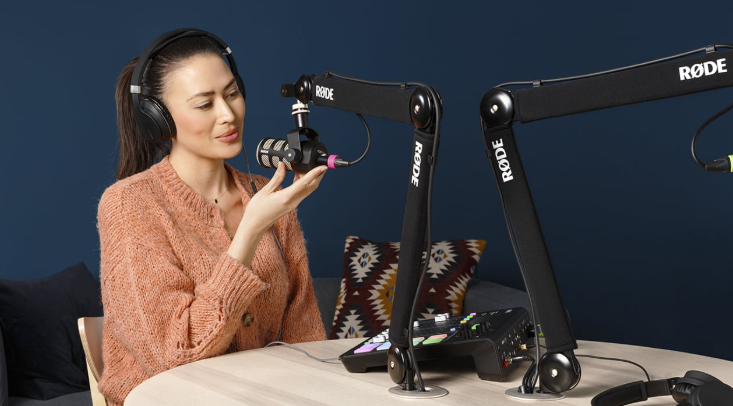
Launching a podcast can feel overwhelming—between recording, editing, publishing, and promoting, it’s easy to lose focus before your first episode even drops. The good news is that you don’t need a full studio or expensive software to create professional-quality audio anymore. The right online tools simplify everything from recording to branding so you can focus on storytelling and connection. Whether you’re starting a solo show or building a full-scale interview series, this guide covers the best low-cost, high-impact tools to help you plan, produce, and publish your podcast like a pro.
1: Start with an idea tracker and content calendar
A great podcast begins long before you hit record—it starts with organized ideas. Notion is a flexible workspace that lets you capture episode concepts, script outlines, and guest details all in one place. For a more linear planning approach, Trello provides a visual “kanban” layout where you can move episodes from idea to published status, keeping your pipeline visible at a glance.
Unique Tip: Create a “content flywheel” board where each episode feeds the next—topics that spark the most engagement become future spin-offs or series.
Checklist:
- List 10 evergreen episode ideas you can record anytime.
- Create three “pillar themes” to keep your content cohesive.
- Use color-coded tags (e.g., solo, interview, story, bonus) for organization.
2: Record crisp, studio-quality audio from anywhere
If you’re recording remotely, Riverside.fm stands out for high-quality local recordings on each participant’s device—meaning crystal-clear sound even with Wi-Fi hiccups. For those who prefer browser-based simplicity, Zencastr offers a solid all-in-one recording and editing setup that works directly in your web browser.
Unique Tip: Record a 30-second “sound check” before each session to ensure consistent mic distance and background noise levels. Use dynamic microphones like the Samson Q2U or Audio-Technica ATR2100x for the best quality-to-price ratio.
Checklist:
- Always record in WAV format for editing flexibility.
- Use a pop filter and position your mic slightly off-center.
- Test volume levels for each speaker before the full session.
3: Clean, edit, and polish your audio like a pro
Editing can turn an okay podcast into an engaging experience. Descript simplifies this process by letting you edit your audio like a text document—delete filler words (“um,” “uh”) automatically and rearrange sections visually. For traditional waveform editing, Audacity remains one of the most accessible free tools for multi-track editing and noise reduction.
Unique Tip: Create a “signature sound profile”—consistent volume, tone, and fade lengths across every episode. Save your favorite audio effects as presets so each new episode takes minutes, not hours, to polish.
Checklist:
- Edit once for structure, once for sound quality.
- Level all audio tracks to -16 LUFS for consistency.
- Add intro/outro music that reflects your show’s identity.
4: Design professional cover art and episode thumbnails
Your podcast art is often the first impression potential listeners get—make it count. Adobe Express offers templates for podcast cover art optimized for Apple Podcasts and Spotify specs, plus custom fonts and color palettes that match your brand. For collaboration, Figma lets teams brainstorm, test colors, and share assets easily before finalizing your visuals.
Unique Tip: Create two versions of your artwork—one for your main podcast and one for social promotion with episode numbers. Use bold, high-contrast text for legibility even at thumbnail size.
Checklist:
- Follow platform specs: 3000×3000 pixels, JPG or PNG, under 500KB.
- Use consistent colors, fonts, and iconography.
- Test visibility on both dark and light backgrounds.
5: Host, distribute, and measure your podcast easily
Your hosting platform handles uploading, syndication, and analytics. Buzzsprout is a user-friendly host that automatically distributes to Spotify, Apple Podcasts, and Google Podcasts while providing clear listener stats. Podbean also offers affordable hosting and monetization options, making it ideal for scaling as your audience grows.
Unique Tip: Name your episodes with clear keywords for discoverability (“How to Pitch Investors – Startup Stories Ep. 4” beats “Episode 4”). Link timestamps in your show notes for better listener engagement.
Checklist:
- Submit your RSS feed to all major directories.
- Track listens, completions, and listener locations.
- Refresh your metadata quarterly to improve SEO.
See also: Complete Payment Recovery Services: Guide and Tips
6: Promote smarter with automation and audiograms
Promotion is where many podcasters drop the ball. Headliner turns audio clips into shareable video snippets with captions and waveforms—perfect for social media teasers. Pair it with Buffer or Later to schedule promotional posts across platforms and keep your feed consistent.
Unique Tip: Create one “evergreen promo folder” per episode with 3 clips, 2 quotes, and 1 image, then recycle those pieces quarterly for new audiences. You don’t need new content every week—you need consistent visibility.
Checklist:
- Choose 15–60 second highlights for social clips.
- Add captions for accessibility and silent playback.
- Schedule three promo posts per episode release.
🎙️ FAQ — Business card design for podcasters and creators
A podcast might live online, but real-world networking still drives growth—especially when connecting with guests, sponsors, and collaborators. A well-designed business card can bridge that gap between digital content and physical presence. Below are common questions about creating business cards that align with your podcast brand and help you stand out.
1) What’s the best way to make a professional business card that matches my podcast branding?
You can design and print a business card template using Adobe Express, which provides customizable layouts that you can align with your podcast’s colors, logo, and typography.
2) Which platforms make it easy to order high-quality business cards fast?
MOO and VistaPrint both offer premium materials, fast turnaround times, and options for spot gloss or textured finishes. They’re great choices when you need your cards to feel professional during live events or conferences.
3) How do I design a card that captures my podcast’s personality?
Keep your design clean but memorable. Use your podcast artwork, tagline, or QR code linking directly to your latest episode. Bold, readable fonts and minimalist color palettes work best for brand recall.
4) Can I find platforms that combine design tools with printing in one place?
Yes—Adobe Express, VistaPrint, and Zazzle all provide integrated design and print workflows, so you can design online and order physical copies without switching tools.
5) What should I include on my podcast business card to make it effective?
List your name, role (Host/Producer), podcast title, contact email, and a QR code linking to your show’s main platform. Simplicity wins—people should know who you are and how to listen in five seconds or less.
Creating a podcast no longer requires a studio or a massive budget—just intention, structure, and the right online tools. Start by organizing your ideas with a content planner, record clearly using reliable web-based platforms, and polish your sound with intuitive editing tools. Add professional artwork and automate your publishing to keep consistency effortless. Finally, amplify your reach through smart promotion and real-world networking with branded business cards.
Goal to remember: Clarity + consistency + creativity = sustainable podcast growth. Build your stack once, refine it monthly, and let the tools handle the busywork so you can focus on what really matters—your voice and your vision.
